


| Individual Modules & Teacher Tools Multimedia Science is now offering individual modules including simulations, games, challenges, demonstrations, labs and teacher tools and materials including lab handouts and answer keys. |
||
| Teachers Pay Teachers (TPT) These modules and materials are available on the Teachers Pay Teachers web site at discount prices. Some are summarized below. Go to the TPT web site to see the rest and download your free software. |



MULTIMEDIA SCIENCE
TEACHERS PAY TEACHERS STORE These are a number of samples of modules and materials. More are available on the Teachers Pay Teachers Site. |
||||
Teacher Tools Software Get More Information - Click On The Teachers Pay Teachers Buttons |
||||
 |
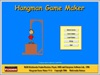 |
Hangman Game Maker The Hangman Game Maker and Player software allows teachers or parents to create learning games based on the age old favorite, supposedly created during Victorian times, of hangman. A picture of the opening game maker screen is shown above. |
||
|
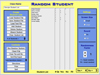 |
Random Student The Random Student software randomly chooses student names from class lists that you can create and save. Use the software to choose students to answer questions, solve problems, set up groups, or for other classroom activities. |
||
|
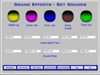 |
Sound Effects Software The Sound Effects software allows you to create, save, and load sound files that include five sounds that can be played by clicking on colored buttons from the Play Sounds screen. Use the sounds to get your audience's attention, indicate whether question answers are correct or incorrect, remind test takers to move on to a new section, play recorded directions, or help make your point. |
||
Chemistry Software Get More Information - Click On The Teachers Pay Teachers Buttons |
||||
|
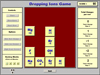 |
Dropping Ions Game The dropping ions game allows students to both learn and practice their knowledge of the charges on the most common chemical ions in a fun way. In the game, tiles with the ion symbols fall from the top of the screen and can be moved right or left. Students must maneuver the tiles such that a row of five have a combined charge of zero. Whenever a row is completed, it disappears, making room for more rows. At the end of the game students get a score which they get to compare with a high score table of other student's results. |
||
|
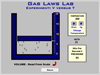 |
Gas Laws Lab The Gas Laws Lab software gives students an overview of the three gas law relationships between volume, pressure, and temperature. Students can run three experiments using a computer simulation of a gas moving in a closed container exploring relationships between these three variables: volume, the size of the container; pressure, caused by the impact of gas molecules bouncing against the sides of the container; and temperature, a measure of the speed that the molecules are moving at. Students take data from simulations for three experiments: P versus V, P versus T, and V versus T, place data into data tables, and graph each of the data sets. |
||
Physics Software Get More Information - Click On The Teachers Pay Teachers Buttons |
||||
|
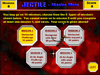 |
Jectile Game & Materials |
||
|
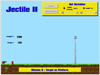 |
Jectile II Game The Jectile II game is a follow up to the Jectile I game with five more projectile motion problems that are more difficult and can be used with more advanced students. Solutions are provided in a Word file. |
||
|
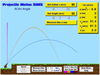 |
Projectile Motion SIMS This software consists of three types of simulations dealing with the topic of projectile motion. First, two simulations on horizontal projectile motion designed to answer questions like whether a dropped or fired bullet will hit the ground first. Second, a general purpose at an angle simulation to answer questions like which angle will give the maximum range, and third, three monkey and the hunter simulations that will help explain when and how a cannon aimed at a monkey above will hit it. The software includes extensive help in Word format that includes more detailed descriptions of each simulation, example questions, and lesson plans. |
||
|
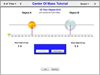 |
Center of Mass Tutorial The Center of Mass Tutorial is a software presentation (for classroom use) or tutorial (for student use) that covers both the basic concepts and calculations of center of mass (c of m) in 1, 2, and 3 dimensions. The software includes a number of simulations that visually illustrate how the center of mass changes as the associated variables change. There are also drills that follow the concept and demonstration screens which can be used for assessment purposes. The scores for these drills are saved and shown on the main menu screen. |
||
|
 |
Basic Electricity Materials These materials include a Software Presentation, Lecture Handout, Objectives Sheets, Homework Handouts & Answer Keys, Test & Answer Key, Lab Write-Ups & Answer Keys, and Software Review (Categories Game). The software presentation is a great lecture aid and includes text, graphics, animations, and simulations. The lecture handout includes screen shots of the presentation three to a page that can be copied and handed out to students. There are also sample problems where the known values are randomly generated and the answers are provided. |
||
|
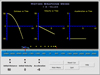 |
Graphing Motion Demo The Graphing Motion Demo displays the graphs of distance, velocity, and acceleraton versus time for a car set in motion. The initial distance, velocity, and acceleration of the car is selected. The car is set in motion and can be seen as the three graphs are drawn. |
||
|
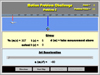 |
Motion Problem Challenge The Motion Problem Challenge software requires students to solve motion problems in a game like format. In each of five "real life" situations, students must take a measurement, figure out the known and unknown values, choose an equation, and solve for the unknown. |
||
|
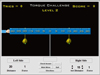 |
Torque Challenge Students must use their knowledge of torque to solve problems of four levels of increasing difficulty. This is a great challenge to use right after a torque lab - find out if the student participated or just watched. One or two forces are applied to the left side of the balance beam and students must calculate the force and its distance on the right side to balance the beam. Each mission is worth a different number of points. |
||
|
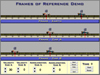 |
Frames of Reference The Frames of Reference Demo is a simulation of two cars (car A and car B) moving towards each other on a road. This motin can be watched from three frames of reference: 1) the earth, 2) car A, or 3) car B. The velocity and acceleration of the cars can be set. The distance and time for the cars or the road can be measured, allowing the relative velocities to be calculated. |
||
|
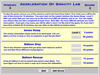 |
Acceleration of Gravity Game Students must solve acceleration of gravity motion problems in three different missions. There are two levels for each mission. In the first mission, they need to toss an explosive to destroy an enemy ammunition dump. In the second, they must hit running figures with water balloons. In the third, they must fire a rope up to rescue a run away hot air balloon. Each mission is worth a different number of points. |
||
|
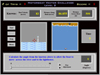 |
Motorboat Vector Challenge Students must use their vector skills to steer their boats across the river. There are five increasingly difficult levels, the last two deceptively difficult. A score is kept for each ten tries where each level is worth a different number of points. |
||
More Modules & Materials Are Available On The Teachers Pay Teachers Site |
||||


